Triggers & runs
Triggered. Durable. Logged.
Start a pipeline from a platform event, a schedule, Studio, an API, or another pipeline. Every run uses the platform's background job infrastructure, survives restarts, streams live progress, and leaves an append-only history.
The execution path
An event fires. A job runs.
When an event fires it is matched against the active pipelines accepting its type, and one background job is enqueued per match — each pipeline gets its own independent run. The job runner decodes the typed event, executes the graph, and records the outcome.
- Runs go through the durable job queue: a runner restart doesn't lose queued runs, and delivery is at-least-once — design webhook receivers to tolerate an occasional duplicate.
- Triggered runs execute under the pipeline service account; dry runs and manual runs execute under yours.
- The caller's identity is carried through the whole run — across suspensions and into sub-pipelines — for authorization and audit.
query PipelineRuns($id: UUID!) {
  pipelines {
    runs(pipelineId: $id, limit: 50) {
      eventName
      outcome
      startedAt
      durationMs
      errorMessage
    }
  }
}
Durability
Runs that wait around
A run that hits a suspending node — Delay, Wait Until, or Execute Job with waiting enabled — parks durably and resumes when its condition is met, surviving restarts in between. A pipeline can wait a minute or a month; nothing is held in memory while it does.
- The
pipelineRunGraphQL subscription streams run-level transitions and per-node events — this powers Studio's live run view. - Suspended runs report
SUSPENDEDwith the run id, so callers can track them from run history or the live subscription.
- RUNNINGevent decoded, graph executing
- SUSPENDEDWait Until · publish window opens
- RUNNINGresumed — restarts didn't matter
- OKoutcome recorded in run history
The live run view
Watch the path light up
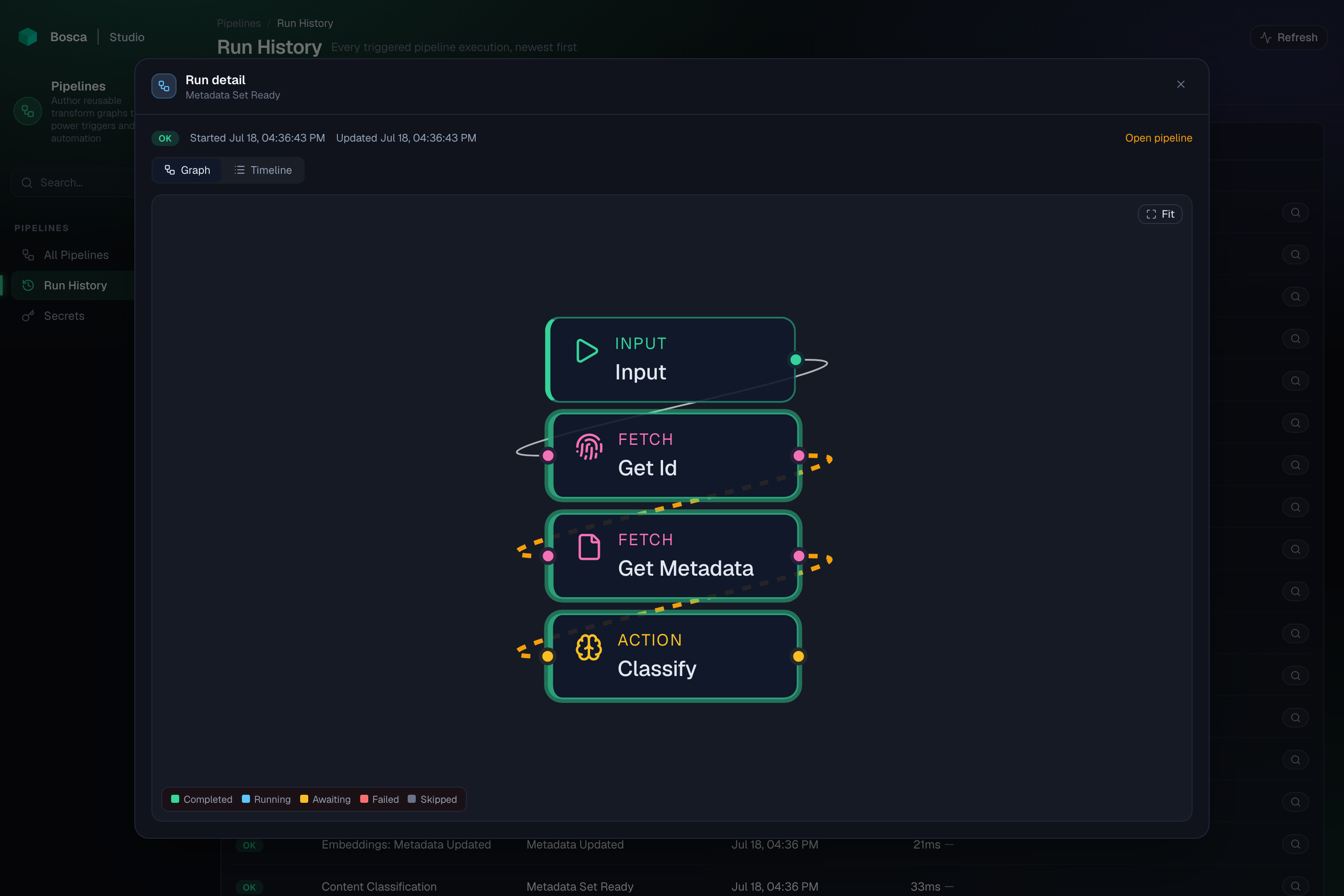
Open any run and the graph replays it: nodes turn green as they finish, and the edges along the path the run actually took animate in the accent color — so you see exactly where the value flowed.
Other ways in
Events are the default, not the only door
Scheduled runs
Attach a standard five-field cron schedule to a pipeline. Bosca records when the run was scheduled, applies concurrency and rate limits, and sends it through the same durable lifecycle as any other run.
Manual runs
The Run action in Studio — or the pipelines.run mutation — executes a pipeline immediately with an ad-hoc payload, under your own principal.
REST endpoints
A pipeline with API enabled is callable at /api/v1/p/{key}. Non-public endpoints require an execute grant; a public one needs no authentication.
From other pipelines
Run Pipeline, For Each, and Run Pipeline for Segment invoke other pipelines; Dispatch Event fans out to every active pipeline accepting the emitted event.
Run history
"Did it run, and what went wrong?"
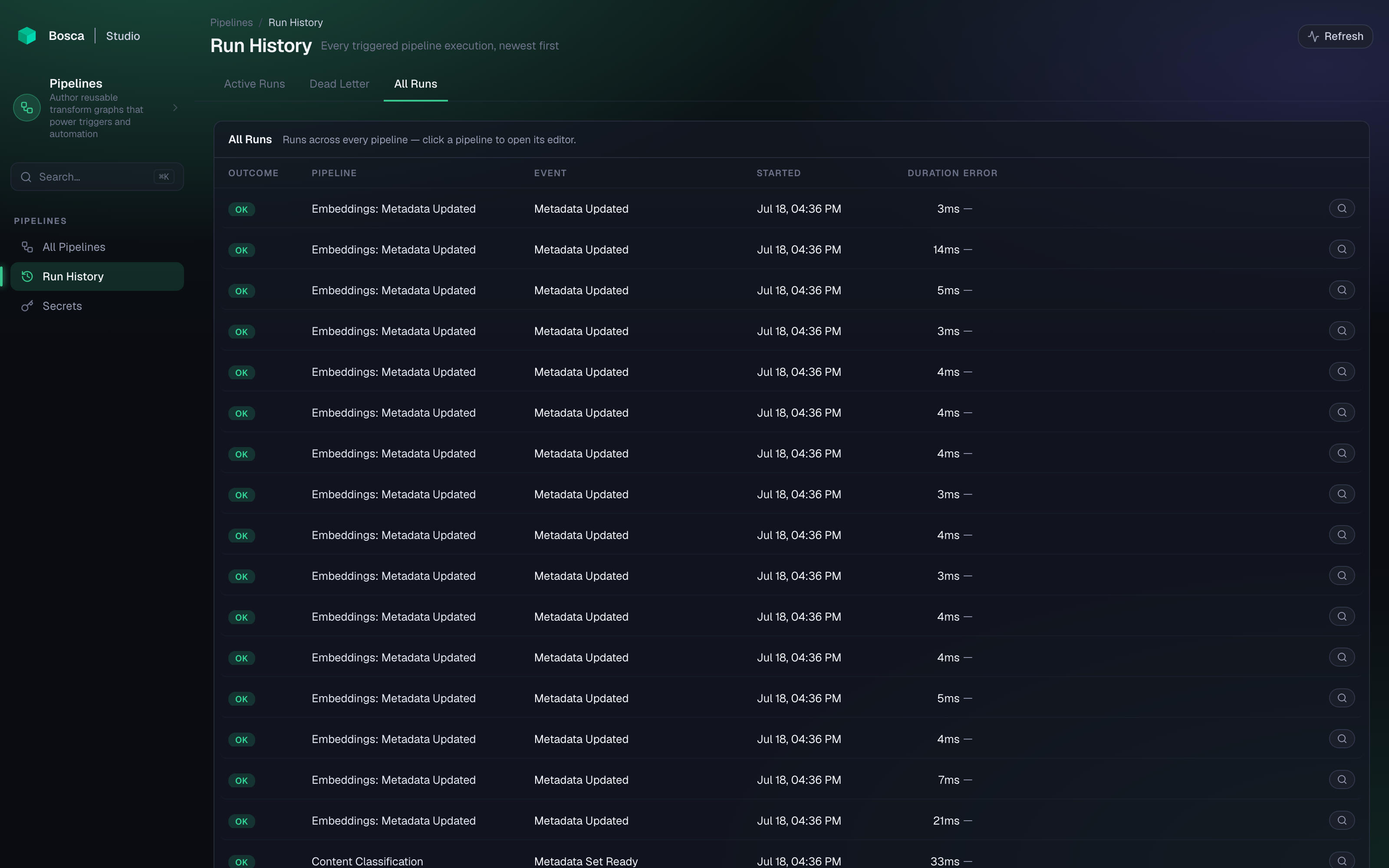
Every run is recorded: the event that fired it, the outcome, when it started and finished, its duration, and the error message when a node failed. History is append-only and survives pipeline deletion-and-restore cycles; failed runs are retained for post-mortem inspection and swept on a configurable retention schedule.
Keep exploring
More on Pipelines
Pipelines overview
What a pipeline is, how it executes, and what it can do.
The editor
A three-pane graph workspace with typed connections and versioned saves.
The node vocabulary
Transforms, routes, actions, and the nodes your domains contribute.
Dry runs
Trace a sample event through the graph before anything goes live.